Customer support agent · Marketing agencies
AI Ticket Triage Agent for Marketing Agencies
An AI ticket triage agent for marketing agencies is a language-model agent that classifies, prioritises and routes incoming tickets without replying itself for marketing, advertising and creative agencies. It works in tools such as Help desk or ITSM and Project management, follows written rules for marketing agencies, and leaves money, terms and personal data decisions to a person.
What is an AI ticket triage agent for marketing agencies?
Agencies juggle many clients, channels and deadlines, and margins depend on how much repetitive production and reporting can be streamlined. An AI ticket triage agent for marketing agencies applies the AI ticket triage agent idea to that setting: triage is the sorting step before resolution. Many teams start with triage because it is low risk: the agent only labels and routes, and humans still reply.
For marketing, advertising and creative agencies, the people on the other side are clients. The agent has to speak their language, respect the rules of the sector and work inside the systems the team already uses rather than adding another dashboard.
What does an AI ticket triage agent for marketing agencies do?
Its core job in marketing agencies: it classifies, prioritises and routes incoming tickets without replying itself. A common customer support task for marketing, advertising and creative agencies: the agent answers client status questions from the project tracker. For example: A client asks when the new landing page goes live; the agent checks the project board and replies with the date and blockers.
Tasks it can take on for marketing, advertising and creative agencies
- Classify topic, product area and language
- Set priority from urgency cues and customer tier
- Detect duplicates and link related tickets
- Extract order numbers, device models or account IDs
- Route to the correct queue, team or specialist
- Suggest a macro or relevant article to the human agent
Day-to-day pressures in marketing agencies
- Reporting eats account managers' time
- Briefs arrive incomplete
- Creative variants take too long
- Scope creep goes unbilled
How does an AI ticket triage agent for marketing agencies work?
Recommended architecture: router (classify, then hand off). The model classifies each input into a small set of labels and a confidence score, then fixed code routes it to the right queue, person or follow-up step. The model never acts outside those routes.
Why this pattern fits: the job is a decision, not a conversation. Routing keeps behaviour predictable, cheap to run (small models often suffice) and easy to evaluate against labelled history. Anthropic's guide to agent design makes the same point: start with the simplest pattern that works and add autonomy only when it clearly helps (Anthropic: Building effective agents).
| Component | Role in this agent | Example options |
|---|---|---|
| Language model | Reads the request, decides the next step and writes drafts; a small, fast model is often enough for classification | GPT, Claude, Gemini, or open-weight models such as Llama, Qwen or Mistral via a gateway like LiteLLM |
| Tools | Actions the agent may take: Help desk or ITSM, Customer database or CRM, Status page and incident tool, Slack or Teams | Function calling or Model Context Protocol (MCP) servers |
| Industry systems | Where customer records and day-to-day work items live | Project management, Ad platforms, Analytics and reporting |
| Knowledge (RAG) | Retrieve similar past tickets with their final labels as few-shot examples. | A vector store such as Chroma or Qdrant, or your database's search |
| Memory | No long-term memory needed; each ticket is classified with its thread and customer tier. | CRM or database records; a memory layer such as Mem0 or Zep for longer histories |
| Orchestration | Router (classify, then hand off) | dspy or pydantic-ai |
| Guardrails & approval | Humans resolve every ticket; the agent only labels and routes. Low-confidence labels are flagged. | Approval queue, allow-listed actions, logging |
Data the agent needs
- Client brand guidelines
- Campaign briefs and results
- Rate cards and scopes of work
- Creative asset libraries
- Ticket taxonomy and routing rules
- Labelled historical tickets
What does an AI ticket triage agent for marketing agencies workflow look like?
A typical run, from trigger to a logged result in marketing agencies:
- Ticket created by email, form or chat
- Agent extracts fields and classifies topic, priority and sentiment
- Agent checks for duplicates and active incidents
- Agent assigns queue and suggests a macro
- Human resolves; corrections feed the next evaluation set
How do you build an AI ticket triage agent for marketing agencies, step by step?
- Define the scope. Pick two or three tasks to automate first (for example: classify topic, product area and language; set priority from urgency cues and customer tier). Write down what the agent must never do.
- Collect the knowledge. Gather client brand guidelines and campaign briefs and results. Clean, current documents matter more than model choice.
- Choose the stack. Use the router (classify, then hand off) pattern. Free options include stanfordnlp/dspy, pydantic/pydantic-ai, langchain-ai/langgraph; pick one your team can maintain.
- Connect the tools. Give the agent narrow, least-privilege access to Help desk or ITSM, Customer database or CRM, Status page and incident tool and Project management. Start read-only where you can.
- Write the instructions. Write a system prompt with the role, allowed sources, tone, limits and when to hand off. Keep examples of good outputs next to it.
- Add retrieval and memory. Retrieve similar past tickets with their final labels as few-shot examples. No long-term memory needed; each ticket is classified with its thread and customer tier.
- Add guardrails and approvals. Humans resolve every ticket; the agent only labels and routes. Low-confidence labels are flagged. Log every tool call and output.
- Evaluate before launch. Hold out 300 labelled tickets and measure per-label precision and recall, especially for P1 and legal categories.
- Launch small and monitor. Roll out to one team, channel or segment. Track routing accuracy and time to first assignment, review failures weekly and expand only when quality holds.
Classify this ticket. Return JSON: topic (from list), priority (P1-P4), sentiment, language, duplicate_of (if any), suggested_macro. Mark P1 if it mentions outage, data loss, safety or legal action.For model tool use, see the official guides on OpenAI: Function calling guide and Anthropic: Tool use with Claude. OpenAI's practical guide to building agents covers instructions, tools and guardrails in more depth.
Which free, open-source repos can you use to build an AI ticket triage agent for marketing agencies?
Each repository below was checked on GitHub on 2026-11-26. Licences differ, and some "fair-code" or source-available licences limit commercial hosting, so read the licence before you ship.
| Repository | What it is | Licence | Language |
|---|---|---|---|
| stanfordnlp/dspy | Framework for programming and optimising LM pipelines instead of hand-writing prompts | MIT | Python |
| pydantic/pydantic-ai | Typed Python agent framework with structured outputs | MIT | Python |
| langchain-ai/langgraph | Library for stateful, controllable agent graphs with human-in-the-loop support | MIT | Python |
| chatwoot/chatwoot | Open-source omnichannel help desk (live chat, email, social) you can attach an agent to | Custom / source-available (read the repo licence) | Ruby |
| deepset-ai/haystack | Orchestration framework for production RAG and agent pipelines | Apache-2.0 | Python |
Which AI platforms offer AI ticket triage agents?
If you would rather buy than build, these commercial products offer agents or features for this job. We list them for reference only; we are not affiliated with them, and features and pricing change, so check each vendor's site.
| Platform | Type |
|---|---|
| Zendesk AI agents | Help desk AI agents |
| ServiceNow AI Agents | IT and employee service workflows |
| Moveworks | AI assistant for employee support |
| Intercom Fin | Customer service AI agent |
Build, buy, or start with ready-made agents?
| Option | Effort | Cost model | Best for |
|---|---|---|---|
| Build with open source | High: engineering, hosting, evaluation | Free code; you pay for models and hosting | Teams with developers that need full control or custom integrations |
| Commercial agent platform | Medium: configuration and integration | Usually subscription or per-conversation pricing | Companies already on that vendor's help desk |
| AI Time Machine (55 ready-made agents) | Low: sign in, connect your own AI key, choose agents | One-time payment | Small businesses that want drafts for everyday sales, support, marketing and admin work, approved by a person |
How do you measure an AI ticket triage agent for marketing agencies?
Measure outcomes, not activity. Set a baseline before launch so you can show the change:
| Metric | How to measure it |
|---|---|
| Routing accuracy | Tickets that land in the right queue first time |
| Time to first assignment | Minutes from creation to owner |
| SLA breach rate | Tickets that miss their response target |
| Hours saved on reporting | Account manager time per report |
| Revision rounds | Average rounds before client approval |
What are the risks of an AI ticket triage agent for marketing agencies, and how do you control them?
| Risk | Control |
|---|---|
| Mislabelling urgent issues as low priority | Use conservative rules for keywords like outage, legal, safety and always escalate them |
| Taxonomy drift | Review confusion between labels monthly and update examples |
| Privacy of ticket content | Process data in your own cloud region and restrict logs |
Rules and standards to check in marketing agencies
- Advertising standards and each platform's ad policies
- Client data protection under GDPR or CCPA (gdpr-info.eu)
- Disclosure rules for endorsements and AI-generated content (EUR-Lex)
This is general information, not legal advice. Requirements depend on your country, state and use case.
General AI security risks such as prompt injection, data leakage and excessive agent permissions are catalogued in the OWASP GenAI Security Project: OWASP Top 10 for LLM Applications. For governance, the NIST: AI Risk Management Framework is a widely used framework.
Can AI Time Machine help with customer support work in marketing agencies?
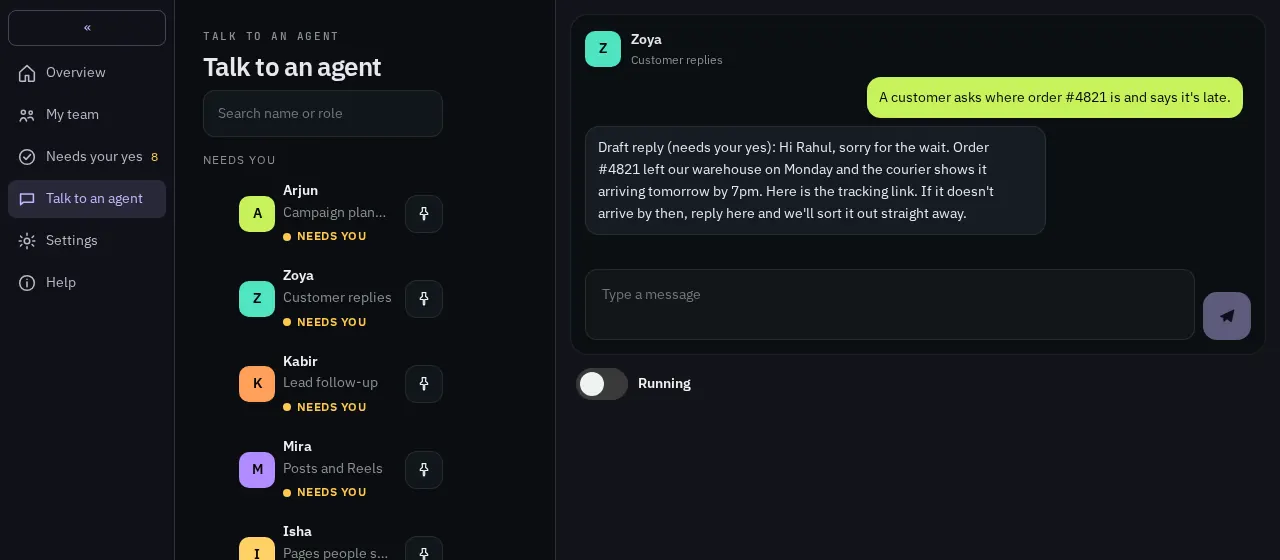
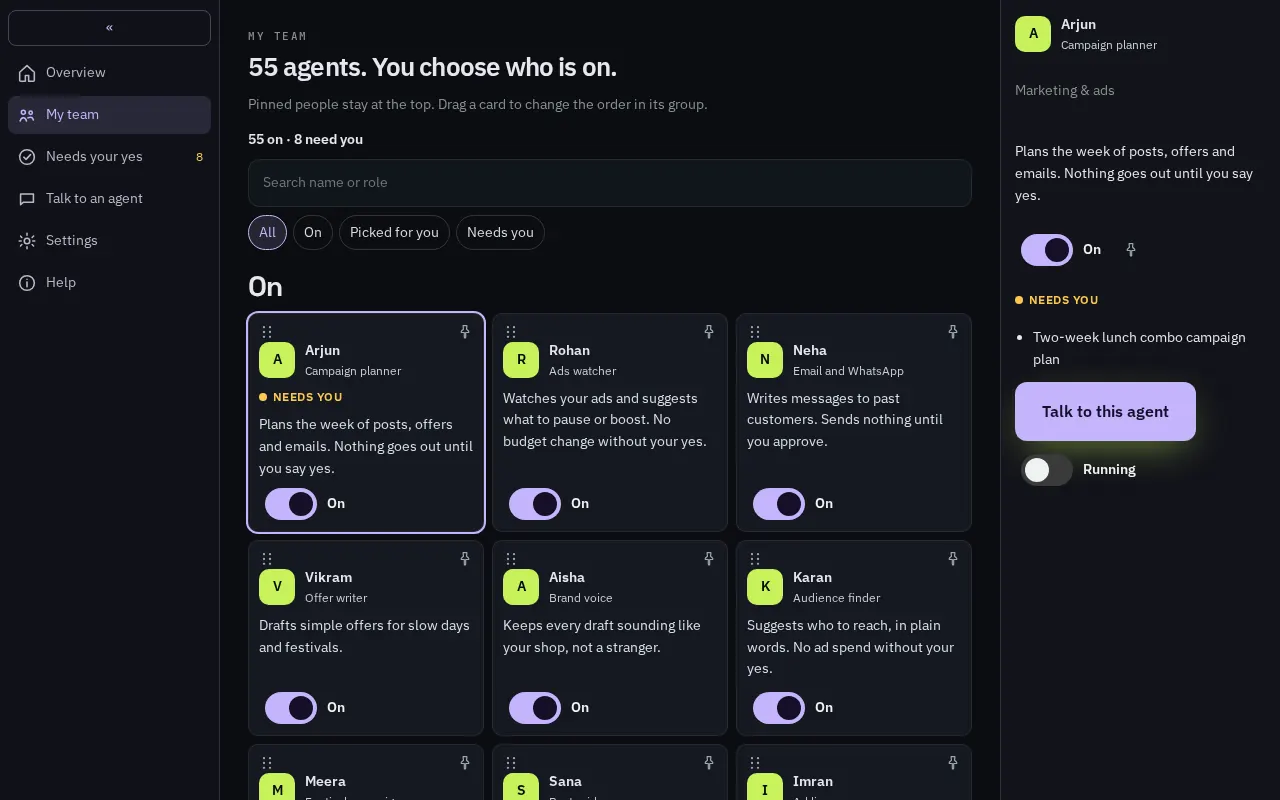
AI Time Machine is a set of 55 ready-made AI agents in 8 teams for small businesses. It is not a custom agent builder and does not connect to Help desk or ITSM on its own. The agents closest to this job draft work in their role, using the AI provider key you connect, and nothing goes out until you approve it:
- Zoya, Customer replies (Support): Answers everyday questions in your tone. Tricky ones come to you.
- Diya, Complaints (Support): Writes a calm reply when someone is upset, and waits for you.
Frequently asked questions
Is AI triage safer than an AI agent that replies?
Yes. Because it only labels and routes, mistakes cost time rather than customer trust, which makes it a good first project.
How accurate does triage need to be?
Aim for accuracy at least as good as your current manual routing, with urgent categories tuned for recall over precision.
Can a small model do triage?
Often yes. Classification is a narrow task, and a small or fine-tuned model can be fast and cheap.
Will AI agents replace marketing agencies?
They change what agencies sell. Production and reporting get faster; strategy, creative judgement and client relationships matter more.
Can a small marketing agencies business build an AI ticket triage agent for marketing agencies without developers?
Partly. No-code tools such as n8n, Dify or Langflow can connect a model to Project management and email for a first version. Integrations with Ad platforms, approvals and testing usually need some technical help.
Sources and further reading
- Building effective agents — Anthropic
- A practical guide to building agents — OpenAI
- AI Risk Management Framework — NIST
- OWASP Top 10 for LLM Applications — OWASP GenAI Security Project
- Retrieval-Augmented Generation for Knowledge-Intensive NLP Tasks — Lewis et al., arXiv 2005.11401
- Model Context Protocol — modelcontextprotocol.io
- General Data Protection Regulation (text) — gdpr-info.eu
- EU Artificial Intelligence Act (Regulation (EU) 2024/1689) — EUR-Lex
Need an AI ticket triage agent for marketing agencies? Tell us what you need
Tell us what you want the agent to do. We read every request and reply by email, usually within two business days, with an honest view of whether our ready-made agents fit or what a custom build would involve.
Or start today with 55 ready-made AI agents
AI Time Machine gives a small business 55 agents in 8 teams (sales, support, marketing, content, SEO, operations, money and a CEO office). They draft the work, you approve it, and they use the AI provider key you connect. One-time payment, no subscription.